What Are Cloud Contact Center Solutions and Why Are Businesses Adopting Them?
Las soluciones de centros de contacto en la nube están revolucionando la forma en que las empresas interactúan con sus clientes. A medida que la tecnología avanza, los sistemas telefónicos de centros de llamadas tradicionales están siendo superados por soluciones de software de servicio al cliente basadas en la nube, impulsando un cambio generalizado en todas las industrias. Su atractivo radica en su rentabilidad, escalabilidad y flexibilidad, ya que las soluciones en la nube eliminan la necesidad de hardware costoso y ofrecen una escalabilidad sin fisuras para satisfacer la demanda fluctuante.
En este artículo de blog, exploraremos el poder transformador de las soluciones de software de centros de llamadas en la nube y cómo están remodelando el panorama del servicio al cliente para empresas de todos los tamaños.
Pero comencemos por el principio: ¿qué es exactamente una solución de centro de llamadas en la nube?
How Do Cloud Contact Center Solutions Actually Work?
What is the delivery model behind a cloud contact center?
In a cloud contact center, the provider hosts the core software, telephony connectivity and data storage in data centers, typically operated on public cloud infrastructure, a private cloud, or a hybrid of the two. Providers choose their own architectures, so resilience, data location and isolation between customers differ from one vendor to the next. You access the platform over the internet, usually with a browser-based agent desktop and a web-based administration console. A cloud based call center solution follows this model while leaving infrastructure management with the provider. Check where data is hosted, how failover works and whether the provider's service levels match your requirements.
Is a cloud contact center the same as CCaaS?
The terms overlap heavily. Contact Center as a Service (CCaaS) describes the commercial model: the platform is subscribed to and operated by the provider, usually priced per agent or by usage. "Cloud contact center" describes where and how the software runs. In practice most cloud contact center platforms are sold as CCaaS. The distinction matters mainly where a vendor hosts software that was originally built for on-premises use in the cloud, which is not the same as a platform designed for multi-tenant cloud delivery. Ask which one you are buying, because it affects how quickly updates arrive and how the system scales.
What happens to an interaction from first contact to reporting?
A typical journey runs as follows:
Entry. A customer calls a number, sends an email, opens a web chat or messages through a channel such as WhatsApp. Voice traffic reaches the platform through telephony carriers or SIP trunks (the standard connections that carry voice calls over the internet), while digital channels connect through the provider's channel integrations or APIs. In practice, a Cloud based call center phone system combines this internet-based telephony with the wider tools agents use to manage customer interactions.
Identification and self-service. The platform may identify the customer from the number or login and offer an automated menu or AI Virtual Assistant.
Routing. A Customer Interaction Management engine applies rules, such as skills, language, priority or availability, to select a queue and then an agent.
Handling. The agent receives the interaction in their desktop, usually alongside customer information drawn from connected systems such as a CRM. Where the provider offers it, Omnichannel can support connected channel handling.
Recording and reporting. The platform logs the interaction, stores any recording and feeds real-time and historical dashboards that supervisors use to manage the floor.
How do agents, data and integrations fit in?
Because the agent desktop runs in a browser, a supervisor or agent only needs a suitable device, headset and network connection. Interaction records, recordings and operational data are stored by the provider, with retention periods and storage regions set by contract and configuration. Flow and APIs or prebuilt connectors link the platform to CRM, ticketing and other business systems. The provider also handles maintenance, security patching and capacity, and releases updates centrally, which you generally cannot defer as you could with software you host. This is a central consideration when comparing cloud based call center software with systems maintained on your own infrastructure.
Which capabilities come with the model, and which depend on the provider?
Remote access, provider-managed infrastructure and subscription pricing come with the cloud model itself. Cloud contact center software can simplify access for supervisors overseeing teams across several locations, provided network and security requirements are addressed. Conversational AI, AI Analytics, workforce management and specific integrations vary by vendor and often by pricing tier, so treat them as items to verify rather than assume.
In short, a cloud contact center is a contact center capability you rent and access over the network, with the supplier responsible for running it, while a traditional system is software and hardware you buy, house and maintain yourself.
What is a cloud contact centre solution?
How does a cloud contact centre differ from a traditional call centre?
What are the main benefits of using a cloud contact centre?
Are cloud contact centre solutions secure?
Summary
Cloud contact centre solutions are transforming customer service by replacing traditional, hardware-dependent call systems with scalable, cloud-based platforms powered by virtual servers and VoIP technology. These solutions offer cost-effectiveness, flexibility, and seamless scalability, allowing businesses to dynamically adjust resources to match fluctuating demand without the burden of physical infrastructure. Their inherent redundancy and failover capabilities also enhance business continuity, minimizing downtime and ensuring uninterrupted operations. As a result, companies adopting cloud contact centre software are achieving greater efficiency, agility, and resilience—ultimately improving both customer experience and overall business performance.

What Can Businesses Actually Do with a Cloud Contact Center?
The value of cloud contact center technology shows up in specific operating situations rather than in a feature list.
Running inbound and outbound together. The same platform can take support calls and place outbound calls for collections reminders, appointment confirmations or proactive service notices. Outbound dialing and compliance controls, such as consent handling and calling-hour restrictions, are not equally strong across providers, so check them if outbound is core to your operation.
Handling several channels without separate tools. Omnichannel capability brings voice, email, web chat and messaging into one system, so an agent works from one desktop instead of switching between applications. Quality here varies. Some platforms treat channels as separate queues (multichannel), while others keep a single conversation history. The distinction is explored in Omnichannel vs Multichannel, and it determines whether a customer can move from chat to phone without repeating themselves.
Routing to the right person. Skills-based routing directs a Spanish-language billing query to a Spanish-speaking billing specialist, while priority rules can fast-track high-value or vulnerable customers. Administrators can configure these routing rules without needing engineering support. Smart Call Routing takes this further, using customer data, interaction history, intent and real-time context to make more informed routing decisions. This helps match each caller with the most appropriate agent, reducing unnecessary transfers and giving customers a smoother route to resolution.
Supporting distributed teams and multiple sites. Agents at home, in two offices and with an outsourcer can sit in the same queues and be managed on the same dashboards. This is useful when you open a site in another country, or when you need cover across time zones.
Absorbing volume swings. Because seats are licensed rather than physically installed, you can add temporary agents for a seasonal peak or a product launch and remove them afterwards. Limits still exist: contract minimums, telephony capacity and the time it takes to recruit and train people.
Reducing avoidable contacts. Customer Service Automation and automated assistants can resolve simple requests, although the scale of the opportunity should be judged carefully. For voice interactions, AI Autonomous Call Handling can take on routine calls before escalating more complex issues. Gartner's 2024 customer survey found that only 14% of customer service issues are fully resolved in self-service, which suggests that most organizations still need well-designed handoffs to people.
Keeping customer information consistent. When the platform is connected to your CRM, each channel draws on and writes back to the same customer record, so the history an agent sees reflects earlier chats, calls and cases.
A practical, hypothetical example: a regional retailer with a 40-seat team sees volumes triple in the weeks before a holiday. With a cloud platform, it can license additional seats for six weeks, route order-status chats to an automated assistant, send delivery disputes to experienced agents, and release the extra seats in January. Whether it works depends on the retailer having its order system connected and its agents trained before the peak.
What Business Benefits Can Cloud Contact Center Solutions Deliver?
Some benefits come from the cloud delivery model itself. Others depend on features, integrations and how well you implement them. Separating the two helps you judge what you are really buying.
Benefits that come from the delivery model
Less infrastructure to own and maintain. You are not buying telephony hardware, housing servers or scheduling upgrade projects, because the provider runs the environment. For organizations replacing separate legacy tools, cloud based contact center software can provide a shared environment for managing interactions across channels. Capital expenditure typically becomes operating expenditure. This does not make the total cost lower automatically. Subscription fees, telephony usage charges, integration work and add-on modules can outweigh the savings, so model the full cost over several years.
Scalability you can plan around. Seat counts and channels can be changed through the administration console and contract terms instead of a hardware order. The benefit is flexibility during peaks, but it is bounded by your commercial agreement and by your ability to staff the extra seats. For operations with seasonal demand, cloud based call center software can make temporary capacity easier to arrange than expanding a fixed on-premises estate.
Support for remote and multi-site working. Browser-based access means you can recruit beyond the commuting radius of an office and add sites without installing local equipment. You still need to manage network quality, device security and home-working policies.
Faster access to new capabilities. The provider releases updates centrally, so new functions reach you without a separate upgrade project. The trade-off is less control over timing, so you need a process for testing releases and briefing agents.
Benefits that depend on capabilities and implementation
Better data and reporting. Interaction data lives in one system, which makes consistent reporting across channels and sites possible. The quality of insight still depends on how you configure disposition codes, whether you connect the data to your BI tools, and whether supervisors act on it. For many teams, cloud based contact center software also makes it easier to bring reporting from multiple locations into one operating view.
Agent-support tools that raise productivity. The strongest independent evidence here concerns generative AI assistance rather than cloud itself. A study of 5,179 customer support agents, published in the Quarterly Journal of Economics in 2025, found that access to a generative AI assistant increased issues resolved per hour by 14% on average and by 34% for novice and low-skilled workers. Cloud platforms often make such tools easier to deploy, but the result should not be read as an effect of cloud migration, and it came from one organization's setting.
One gap deserves a plain statement: we found no authoritative, non-vendor source that isolates the effect of cloud migration alone on handle time, first contact resolution or cost per contact. Be sceptical of vendor figures that claim to.

What Features Should You Look for in a Cloud Contact Center Solution?
Comunicación Omnicanal
El compromiso omnicanal se ha convertido en el estándar para la interacción con el cliente, unificando canales como el correo electrónico, las redes sociales y el soporte telefónico para ofrecer una experiencia fluida. Este enfoque integrado mejora la satisfacción del cliente, fortalece la lealtad y simplifica la comunicación. Las soluciones modernas de Software Omnicanal permiten a las empresas gestionar estas interacciones entre canales sin esfuerzo.
Análisis Inteligente de Interacción con el Cliente
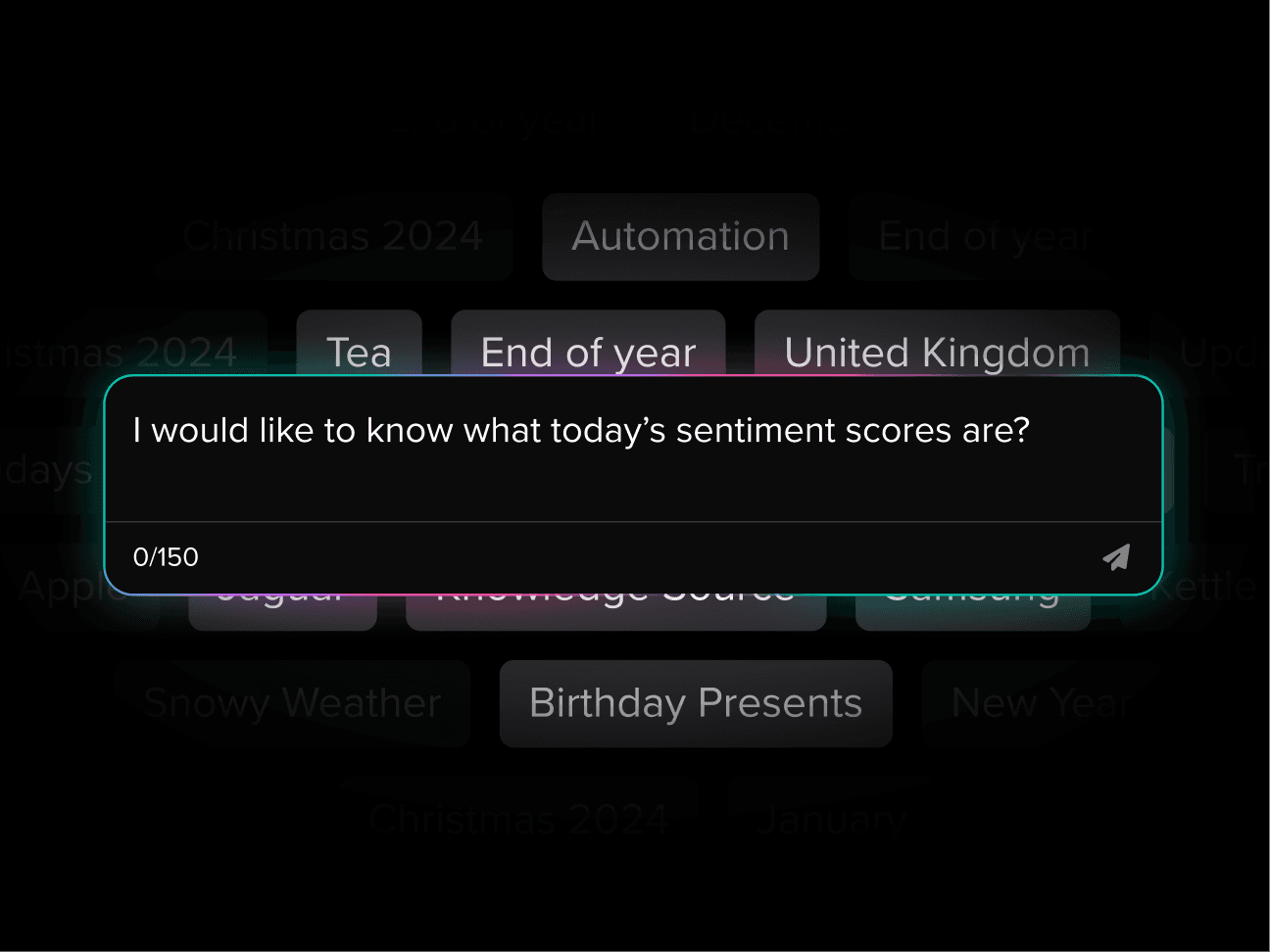
El software avanzado de centro de llamadas puede monitorear y analizar las conversaciones con clientes para descubrir tendencias de comportamiento y evaluar el rendimiento de los agentes. Herramientas como IA de Análisis de Sentimientos detectan señales emocionales en tiempo real, permitiendo a las empresas desarrollar estrategias basadas en datos que mejoren tanto la experiencia del cliente como los resultados operativos.
IA Conversacional
Algunas plataformas de centros de contacto ahora cuentan con IA Conversacional integrada, como el Agente Athena AI, para gestionar automáticamente consultas rutinarias. Al manejar preguntas comunes, estos sistemas permiten que los agentes humanos se concentren en problemas más complejos—mejorando la eficiencia, acelerando los tiempos de respuesta y reduciendo los costos de servicio. Esta forma de Automatización del Servicio al Cliente es especialmente útil en entornos de alto volumen.
Entrenador AI
Las herramientas de entrenamiento con AI, como Athena AI Guru de ConnexAI, apoyan a los agentes del centro de llamadas ofreciendo orientación en tiempo real, información contextual y recomendaciones durante interacciones en vivo. Estas herramientas ayudan a los agentes a dar respuestas precisas e identificar oportunidades de venta adicional, aumentando en última instancia la satisfacción del cliente y el rendimiento de ventas.
Automatización de Flujos de Trabajo
Los flujos de trabajo automatizados dentro del Software de Centros de Llamadas optimizan las operaciones al gestionar tareas como el enrutamiento inteligente de llamadas, asegurando que cada consulta llegue al equipo adecuado rápidamente. Cuando están potenciados por IA, estos sistemas mejoran aún más la capacidad de respuesta y la calidad del servicio.
Marcador Predictivo
Los marcadores predictivos utilizan inteligencia artificial y modelos estadísticos para optimizar las estrategias de llamadas salientes, permitiendo a los agentes conectarse con más clientes al reducir el tiempo de inactividad entre llamadas. Son particularmente efectivos para campañas a gran escala, aunque las empresas más pequeñas pueden beneficiarse de soluciones de marcación más simples.
Gamificación
La gamificación en Gestión de la Fuerza Laboral (WFM) introduce elementos como tablas de clasificación y recompensas para aumentar el compromiso y la motivación de los agentes. Al fomentar la competencia amistosa, este enfoque aumenta la productividad y crea un entorno de centro de contacto más dinámico y de alto rendimiento.
Why are cloud call centres particularly advantageous for businesses with remote or hybrid teams?
How do AI-driven tools like Conversational AI and AI Coaching change the customer service dynamic?
How do cloud-based systems improve reliability and business continuity compared to legacy infrastructure?
How do AI analytics shape long-term business strategy?
How Should a Cloud Contact Center Connect With Your Existing Business Systems?
The features above operate inside the platform. Integrations determine whether those features have the information they need. Deloitte Digital's 2026 global contact center report found that 72% of lagging contact center leaders cite integration of technology, systems and tools as a top challenge, and 58% of the same group cite legacy systems. Both figures apply to lower-maturity organizations rather than all contact centers, but they indicate where projects tend to stall.
CRM systems
A Customer Relationship Management (CRM) system holds customer records, cases and sales history. Connected to the contact center, it lets the platform identify a caller from their number, display their record on the agent's screen when the interaction arrives (often called a screen pop), and write a summary or case note back afterwards. The operational value is that agents stop asking customers to repeat details, and the CRM stays an accurate record of every contact.
ERP platforms
Enterprise Resource Planning (ERP) systems hold order, inventory, billing and fulfillment data. A link, usually through APIs or middleware, lets an automated assistant or agent check order status, delivery dates or invoice balances without leaving the interaction. This is where many self-service journeys succeed or fail, because an assistant that cannot read the order system can only deflect, not resolve.
Business intelligence and analytics tools
Interaction data, such as volumes, wait times, dispositions and quality scores, can be exported or streamed to BI tools or a data warehouse. A Contact Center Analytics Platform can combine this information with sales, finance or product data. This lets you test, for instance, whether repeat contacts about one product line correspond to returns.
APIs and third-party applications
An API (application programming interface) is a documented way for two systems to exchange data. Open APIs let you connect ticketing tools, payment services, identity verification or workforce tools, and trigger actions such as sending a message when an event occurs in another system.
What should you check before you buy?
Integration capability varies widely. Ask whether connectors are prebuilt and supported or require custom development, whether the API covers reads and writes and real-time events, how data is synchronised and how often, what rate limits apply, and who is responsible when an upstream system changes. A native CRM connector may cover only standard fields, so confirm that your custom objects are supported. Request reference customers using your CRM or ERP. ConnexAI lists integrations with common business systems.

Cloud Contact Center vs On-Premise: Which Is Right for Your Business?
How do the two models differ?
An on-premises contact center runs on servers, telephony equipment and software that you buy, install and maintain, in your own data center or one you rent. A cloud contact center is run by a provider and accessed over the network. Gartner's Market Guide for Contact Center Infrastructure says the infrastructure market, covering on-premises and private cloud, continues to decline, but that many users are not yet ready to migrate to CCaaS. That is a qualitative finding, and it is a useful corrective to the idea that every organization is moving at the same speed.
How do they compare on the questions that matter?
Cost
On-premises involves a larger upfront investment in hardware, licenses and implementation, followed by maintenance, upgrades and staff. Cloud spreads cost into subscriptions. A Cloud based call center phone system may also bundle telephony into the wider platform subscription, although usage charges and add-ons still need to be checked. Cloud is not automatically cheaper. Typical pricing is per agent per month, often with tiers, plus usage charges for telephony and messaging and extra fees for AI, WFM or analytics. We found no independent benchmark that supports a general claim about cost per seat, so build a multi-year model using your own volumes and quotes.
Scalability
Cloud scales through contract and configuration. On-premises capacity is bounded by what you have installed, and growth requires procurement.
Maintenance and updates
Cloud providers apply updates centrally. On-premises gives you control over timing, at the price of upgrade projects and ageing systems.
Remote and multi-site working
Cloud is simpler to extend to homes and new locations. When evaluating a Cloud based call center phone system, include remote-agent call quality and business-continuity arrangements in the test plan. On-premises can support remote agents through VPNs and session border controllers, but with more effort.
Security and data governance
Cloud is not automatically more secure, nor less. Major providers invest heavily in security, and shared-responsibility models mean you remain accountable for access controls, configuration and the data you place there. Deloitte's 2026 report found 53% of lagging leaders cite data security and compliance as a top challenge. Check certifications such as ISO 27001 and SOC 2, data residency, encryption, audit logging, and how the provider supports regulations that apply to you, such as GDPR or PCI DSS.
Reliability and disaster recovery
Large cloud providers often offer multi-region redundancy that is costly to replicate on-premises, but outages happen. Review the SLA, uptime history, failover design and the compensation offered.
Customisation and control
On-premises offers deeper control over architecture and data location. Multi-tenant cloud platforms limit customisation to what the vendor exposes.
Integration and migration
Cloud migration requires number porting, data transfer and rebuilding of integrations. On-premises integrations may already be in place, though often built on older interfaces. A cloud based call center solution should therefore be assessed against migration effort as well as subscription price and feature set.
Where do hybrid models fit?
Many organizations keep a part of their estate on-premises, for example a regulated voice workload or a legacy telephony platform, while adding cloud capabilities such as digital channels or AI alongside it. Hybrid reduces migration risk but adds complexity in routing, reporting and support.
What is vendor lock-in and how do you reduce it?
Lock-in occurs when moving away from a provider is costly because your data, workflows and integrations are tied to their platform. Before signing, confirm that you can export interaction records, recordings and configuration in usable formats, what notice periods and termination fees apply, who owns derived data, and how phone numbers can be ported.
Who is each model likely to suit?
Cloud suits organizations with variable volumes, distributed teams, a need for fast change and limited appetite for running infrastructure. On-premises or hybrid may suit organizations with stringent data residency requirements, large stable operations with depreciated assets, or specialised integrations. The decisive factors are regulatory obligations, existing investments, internal skills, integration needs and the timing of contract renewals.
How Are Different Industries Using Cloud Contact Center Solutions?
Financial services: identity checks and compliance
A retail bank must verify customers before discussing accounts and retain records for regulators. In a cloud platform, an IVR or app-based step can authenticate the customer, the agent sees verified status, call recording can pause during card entry, and transcripts are stored for audit and complaints review. The distinct requirement is controlled recording and retention, which is where you should test redaction and storage location.
Healthcare: appointments and sensitive data
A multi-site clinic group handles appointment bookings, reminders and rescheduling. Outbound reminders by SMS or voice, linked to a scheduling system, reduce missed appointments, and simple changes can be completed in self-service. The distinct requirement is protecting health data under applicable law, so access controls and data residency are central to selection.
Retail and e-commerce: order queries during peaks
An online retailer faces surges of "where is my order" contacts around promotions. Connected to the order system, a contact center Chatbot on chat or messaging can return delivery status, while exceptions such as damaged goods go to agents with the order history on screen.
Telecommunications: technical diagnosis and retention
A telecom provider combines technical support with retention. Routing can identify customers who have called repeatedly or whose contract is ending and send them to a retention-trained team, while network status data can be shown to agents and in automated messages during outages.
Business process outsourcing: many clients on one platform
A BPO runs separate programs for several clients, each with its own scripts, reporting and data rules. Multi-tenant configuration lets it segregate queues and data by client, scale agents up as contracts start, and provide each client with its own dashboards. The distinct requirement is strict separation of data and per-client reporting, so evaluate how the platform handles it.
How Should You Choose and Implement a Cloud Contact Center Solution?
Assess your current operation. Document interaction volumes by channel and time of day, handle times, abandonment, repeat contacts, existing telephony contracts and end dates, integrations and known bottlenecks. Include agents and supervisors in this review, since they know where the process breaks.
Define requirements and measurable objectives. Translate problems into targets, such as a reduction in transfers or faster onboarding of new agents. Set must-have and nice-to-have lists, expected seat counts and peaks, language needs, compliance obligations and the systems that must connect. McKinsey's roundtable of more than 30 customer care leaders found that half of organizations are stuck in pilot mode and 35% lack a clear AI roadmap. That is indicative rather than representative, but it is a good reason to agree on goals and ownership before selecting technology.
Evaluate providers and platforms. Compare capabilities against your list using scripted demonstrations with your own scenarios. Examine pricing models (per seat, usage, tiers and add-ons), contract length, security certifications, data residency, integration depth, support hours, SLA terms and exit provisions. Speak to reference customers of similar size and sector. When comparing Cloud contact center software, test how each provider supports migration, integrations and ongoing platform updates. A cloud based call center solution should also fit the organization’s security, staffing and service requirements.
Plan migration and integration. Decide on a phased or single cut-over. Plan number porting, which can take time, early. Map data to be migrated and what will be archived, agree retention periods, build and test CRM and other integrations, and set contingency routing for outages. Align the plan with your regulatory obligations, including data protection impact assessments where required.
Test and deploy. Run a pilot with a limited team or queue. Carry out user acceptance testing, validate routing for each scenario, check security and access controls, and test failover. Train agents and supervisors before go-live, not after, and plan hypercare support for the first weeks. Phase in channels and sites.
Monitor and optimize. Track agreed indicators such as service level, first contact resolution, handle time, quality scores and agent attrition. Review interaction data through AI Call Analytics, gather customer and agent feedback, and schedule regular reviews of routing, self-service flows and costs. Plan how you will test the provider's updates.
Which cross-cutting issues need attention throughout?
Data protection and compliance should be considered from step one. Business continuity requires documented fallback arrangements, such as alternative numbers or a secondary routing path. Vendor support and SLAs should specify response times, escalation routes and service credits. Training is a continuing task, because platform releases change the agent desktop. If you want help with AI Automation use cases, ConnexAI can support requirements such as Customer Experience Automation and analytics.
Conclusion: Choosing the Right Cloud Contact Center Approach
A good decision starts with your own operation: your volumes and channels, the systems that hold customer data, your security and regulatory obligations, and the outcomes you want in the next three to five years. The cloud delivery model brings provider-run infrastructure, flexible seat counts and easier remote working, while capabilities such as AI, analytics and workforce management depend on the platform and tier you choose. Integration, migration planning and contract terms, including exit rights, have as much influence on results as the feature list.
ConnexAI is one example of a platform that brings together contact center capabilities such as omnichannel interaction management, AI-powered automation and analytics. If you would like to see how these capabilities work against your own requirements, you can explore the ConnexAI platform, book a demonstration or speak with a representative.