Why Are So Many Service Leaders Investing in Customer Service Automation?
If you've been looking for ways to increase your efficiencies or scale your operations without incurring excessive hiring and training costs, you have probably considered customer service automation. Customer service automation involves using technology, such as Conversational AI and automated systems, to handle customer inquiries and support tasks without human intervention.
In this article, we'll tell you everything there is to know about automated customer service, from best practices to benefits and common mistakes, as well as how to make the best decisions for your business when you implement customer service automation.
What Exactly Is Customer Service Automation, and What Isn't It?
Sometimes, the term “customer service automation” is taken to describe any measure destined to help solve customer queries without the intervention of a human agent. However, this is quite a simplistic definition that doesn't tell the whole story.
Here, we want to suggest a different definition: we will consider customer service automation as any type of measure, technology or Workforce Management (WFM) method designed to automate any part of the processes relative to customer service operations, not necessarily just the interactions between customers and representatives.
In this context, customer service automation can also be used to describe aspects like workflow automation, automated feedback gathering or customer satisfaction measuring, and many more things.
Customer service automation does not necessarily mean replacing human agents with virtual ones: it can actually be a way to relieve them of slow or menial processes to make their jobs easier and more rewarding

There are multiple ways you can automate your customer service processes without eliminating or even reducing your human resources. Of course, you can use customer service automation to replace your human agents; but that doesn't mean you can't also leverage it to make their job easier and their interactions more agile and seamless without forsaking the close, personal touch that is so important to the kind of problem-solving that constitutes the core and rationale of customer service.
What is customer service automation?
What are some examples of customer service automation?
How can customer service automation benefit my business?
How should businesses approach implementing customer service automation?
Summary
Customer service automation uses technology and workforce management methods to streamline customer support processes, not just replace human agents. It encompasses tools like Conversational AI, workflow automation, and automated feedback collection to handle inquiries, measure satisfaction, and improve efficiency. Rather than eliminating human interaction, automation can relieve agents of repetitive or slow tasks, making their work more rewarding and enabling faster, smoother customer interactions. By implementing automation thoughtfully, businesses can scale operations, enhance service quality, and maintain the personal touch that is central to effective customer service.

Which Types of Customer Service Automation Are Available, and How Do They Differ?
1. Reduced costs
The most obvious advantage to customer service automation, as well as the one that is often the most attractive for business owners and decision-makers, is cost reduction. As reported by Deloitte, intelligent automation (in other words, the use and orchestration of robotic process automation (RPA) and artificial intelligence technologies) has proven to cut business costs by 20-40% on average.
There is no question that implementing common features of call center software solutions, such as chatbots or canned responses will enable you to answer huge numbers of queries without the need to hire and train new employees.
Especially in an industry like customer service, this represents a major benefit: one of the most common problems faced by contact centers in any area or field is agent burnout and turnover. A survey conducted by ICMI shows us that 87% of call center agents report experiencing a moderate to high level of stress during their workday. Studies show that agent turnover ranges between 30-45%; so at best, companies see themselves losing, rehiring and training a third of their workforce regularly.
It’s not hard to tell why the promise of reducing costs associated with this high turnover incidence is so attractive to decision makers in the customer service industry. However, while the benefits of customer service automation in this aspect is undeniable, one must not underestimate the importance and ultimately, the irreplaceability of the human component in this field. More on this later.
2. Faster resolution times
Along with being cheaper than live agents, contact center software solutions equipped with customer service automation features are often faster as well. Naturally, a chatbot can handle almost infinite interactions simultaneously, while there’s only so many free agents you can deploy at any given time. This translates into virtually no wait times and almost immediate resolution of customers’ problems.
Our award-winning AI Agent is the paramount example of how far AI can go. It’s trained to give responses with unmatched levels of detail for any type of business. You can deploy it along any channel, from website to social media to WhatsApp, to initiate chats, answer common queries and ask questions to advance customer journeys.
3. 24/7 support
You never know when a customer can come up with a question about your product, so you should be able to give them the right answer anytime. However, enabling 24/7 shifts can be expensive; and if the alternative is reducing your customer service availability to business hours, this can be frustrating for your customers.
By incorporating automation into your customer service processes, you can effortlessly direct customers to assistance without the need for a human-led customer service function to be on call continuously. Maintaining an “always-on” availability is a must in today’s era of digitally-driven consumer experiences, but with automation you can do it without incurring significant extra costs on your bottom line.
4. Stronger customer feedback strategy
If you’re not aware of a problem, how are you going to fix it? Automating feedback gathering can provide you with new, unencountered insights into your customer service strategies’ strengths and weaknesses, on the type of issues your customers are running into most often, on new and unprecedented trends and patterns, and much more.
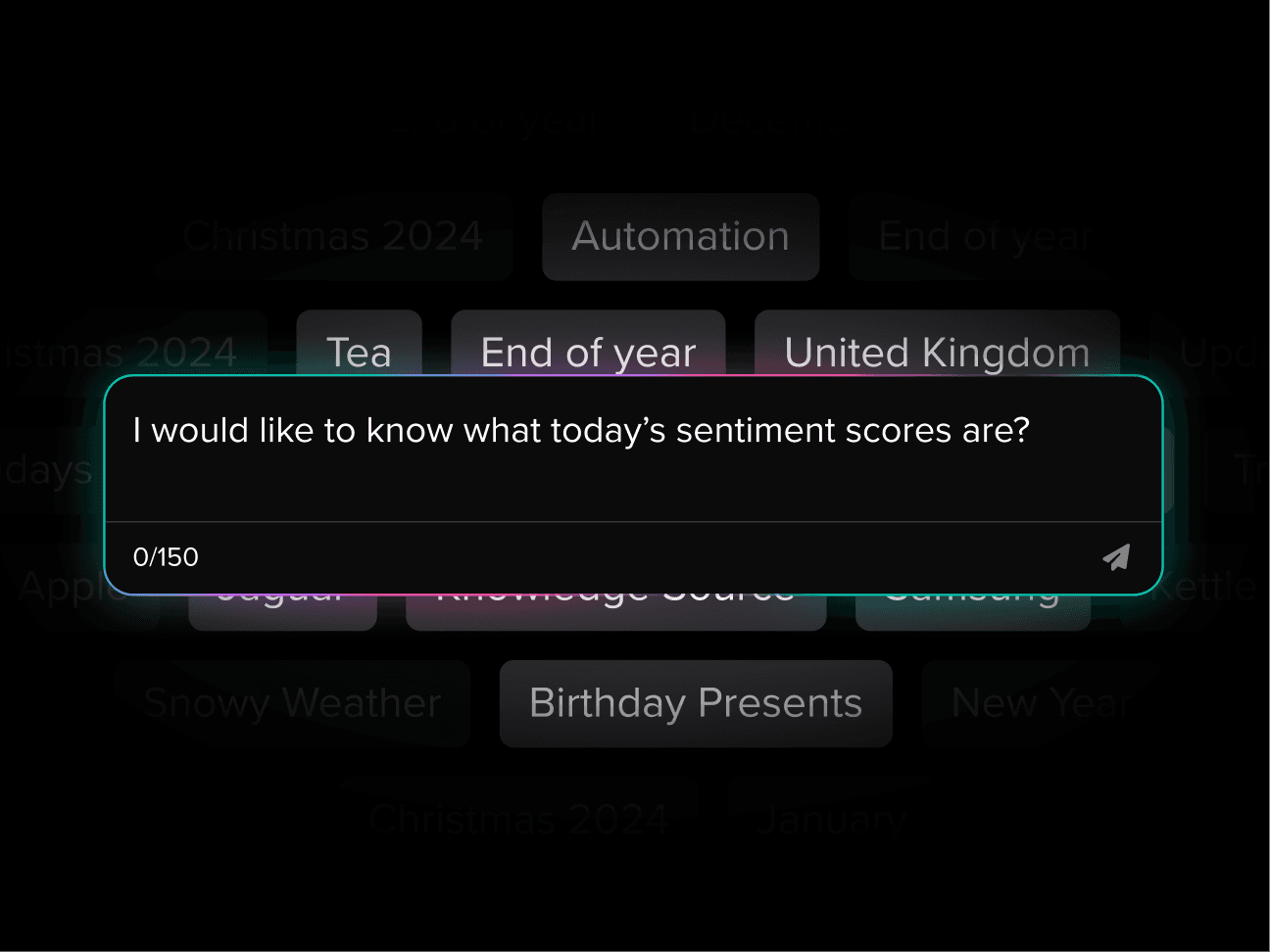
Take ConnexAI's AI Quality features as an example: with Call Transcripts, you can keep a permanent record of what is being said in the conversations between your agents and customers; with Keyphrase and Entity Analysis, you can detect what words, phrases, products or prices are being mentioned and how often; Sentiment Analysis will read your callers’ emotions during calls by their tone of voice, recognizing if your agents are coming short at some point of the interaction; and AI can mark your interactions’ outcomes with custom Scorecards with any parameters you define.

5. Aligns with today’s customer’s preferences
Today, 51% of consumers prefer to complete interactions through online channels rather than offline; they prefer, for example, using self-service options either on a computer or on their phone, or using a chatbot, and only 49% prefer options like talking to a live agent in person or on the phone. In this context, automating your customer service is not only a way to reach greater levels of efficiency; you’ll be giving plenty of customers exactly what they want.
This percentage will only grow larger as the Gen Z consumer base becomes more and more relevant and their communication habits and preferences become more prevalent.
Besides, 68% of customers declare that they’re satisfied with the speed at which chatbots normally address their queries; and today, 85% of customer service interactions are responded to by chatbots (SEMrush). It looks safe to say that automated customer service and self-service are steadily affirming themselves as the new standard in customer engagement, ceasing to be a “nice-to-have” to become a must.
6. Minimizes human error
By implementing automated customer service processes and workflows, the likelihood of human error decreases, enabling customers to be promptly directed to the appropriate source of assistance.
Instead of transferring customers between different team members, an initial workflow can be used to guide them through FAQs, a self-service center, an interactive voice system, and finally, if necessary, to a human support team member. This approach filters out minor issues and diminishes the occurrence of human errors within your customer service team, making it an invaluable contribution to any Workforce Management Solution.
Flow, our workflow automation tool, empowers you to create comprehensive omnichannel customer journeys encompassing your customers’ preferred channels. You can establish rules to determine when and how interactions should transition to different destinations, filtering queries by any conditions you choose. You’ll be able to sort queries by topic, skill, or priority and direct them to specialized teams, agents, or even our Athena.
By automating this entire process, you can decrease wait times, improve workforce management, enhance interaction efficiency and, ultimately, elevate the overall experience for your customers.
Where Does Customer Service Automation Actually Help?
Earlier in this article, we have characterized customer service automation as any form of measurement or technological solution aimed at automating any aspect of customer service operations, including but not limited to the interactions between customers and representatives.
Obviously, this is quite wide as a definition. And the truth is that it fits the versatile and strongly heuristic nature of customer service automation: different businesses might choose to automate different parts of their customer service processes, and what works for one business might not always work for another.
However, there are several customer service strategies that you can’t go wrong with. In this section, we’ll discuss 5 customer service software tools related to automation that have been reliably delivering results and becoming increasingly common and popular across industries.
1. Chatbots
According to a study by Userlike, 60% of people would rather chat with a real person than deal with a chatbot. Their main worry is that a chatbot might not fully understand their questions. However, SEMrush found that 85% of customer service interactions are actually handled by chatbots; and 68% of users say they love how quickly chatbots respond. So, what’s the key takeaway?

Chatbots can be extremely helpful if used right, even if they can’t completely replace human support. The more advanced the Conversational AI powering a chatbot, the faster it can tackle basic queries compared to a human agent. So, the right chatbot can take care of those simple questions and free up your staff to focus on high-value interactions that require a human touch or specialized expertise.
Fortunately, some LLMs (Large Language Models) are designed to achieve extremely accurate levels of domain-specificity and detail. Our AI Agent is especially trained to initiate chats, answer queries and ask questions to advance customer journeys with an unmatched level of sophistication and precision, which makes it able to answer intricate questions without losing the human touch, handling large volumes of everyday queries and free up your teams for high-value interactions. The ConnexAI LLM is trained on millions of customer service interactions, allowing it to grasp every nuance in conversations, accurately identify customer intent, and anticipate their needs with precision. Additionally, it can be tailored with industry-specific knowledge, ensuring it possesses a deep understanding of your company, your products, and your customers—equivalent to the expertise of your most skilled employees.
2. Workflow automation
In legacy contact centers, a significant proportion of agents’ time is spent on menial tasks such as searching for clients’ information or routing calls to the relevant departments. One study by IBM suggests that this type of tasks might take up to 75% of an agents’ day!
Not only does this result in lengthy wait times that are annoying for customers and resource-draining for businesses; it also contributes to agent burnout, which in turn results in an elevated agent churn that, finally, also carries with it big disbursements of time and resources spent on replacing staff.
When you implement workflow automation, you can eliminate all those problems while also speeding up your processes and maximizing your output. The right customer service software tool can help you automate all the tasks that keep your agents from focusing on what’s important: servicing customers. Certain Call Center AI tools will help you to automate multiple types of tasks, from the sorting and routing of calls and interactions to information transfer from databases straight to agents’ screens.
Flow, our customer service automation tool, is designed by our expert team to make designing and deploying personalized customer journey maps easier than ever. Using an intuitive, code-free interface, you’ll be able to dictate each and every step in the customer journey, including any communication channel and linking each touchpoint however you want to match your business and customer’s needs. Flow also allows you to pair up with our sophisticated Athena to sort and direct queries by skill required, topic, or priority, with features like Keyphrase Analysis or Automatic Speech Recognition. You can also direct routine queries to our Chatbot so that your agents can focus on high-value interactions.
After you have designed your customer journey, all you’ll have to do is deploy it. All steps will be completely automated, exponentially reducing wait times and empowering your staff for unprecedented levels of efficiency. Here, we have explained in detail how Flow works and how exactly it can help your business.

3. Self-service knowledge base
Another way to agilize your customer service processes is to provide your customers with good self-service options. If you are able to answer their questions before they even need to reach out to you, this would be a tremendous relief for your customer service teams. But that’s not all.
It will also increase your customer satisfaction ratings. After all, let’s face it: no customer looks forward to having to call to solve a problem or question about a product they have bought or intend to buy. A report by the Harvard Business Review revealed that 81% of customers stated they would prefer to solve an issue themselves before reaching out for help. Another study revealed that 40% of all customers who contact a call center do so only after trying to self-serve.
There are two stories here that this data tells us: the first is that self-service is the go-to option for a large volume of customers; the second is that, unfortunately, not enough businesses are offering efficient self-service options.
One of the best ways to offer customers the possibility of self-service is to build a knowledge base that is accessible, engaging, and helpful for your customers. These days, it’s easier than ever to set up a knowledge base. Tools like AI Knowledge from Connex enable you to design your own customer self-service portal, with knowledge based articles, a personalized support ticketing system and training courses.
However, there are more things you can do. In this article, we have explored further how you can go about providing effective self-service options for your customers.
4. Canned responses
Using canned responses as a customer service automation strategy can also be a valuable tool for businesses seeking to automate their support operations. By creating pre-drafted messages for common customer inquiries or issues, companies can provide swift and consistent responses to customers while reducing the burden on support agents.
Canned responses not only save time but also ensure accuracy and professionalism in customer interactions. With the ability to customize and personalize these canned responses, businesses can strike a balance between automation and personalization, delivering efficient service without sacrificing the human touch.
Connex’s Omni platform allows you to implement personalized canned responses to your customer service strategies, whether it’s adding it to your Flow automated workflows or including them in your agents’ toolbox so that they can handle multiple written interactions at the same time.
5. Automated customer satisfaction surveys
Automated customer service can do much more than streamline and agilize your processes; it can also help you gain a better understanding of your customer service strategy as a whole, measuring your customers’ level of satisfaction and spotting weaknesses and strengths in your approach.
Another useful way to leverage customer service automation strategies is to automate the deployment of customer satisfaction surveys. By automating this process, businesses can seamlessly gather feedback from their customers, enabling them to gain valuable insights into their service quality and identify areas for improvement. This approach not only saves time and resources but also allows for prompt analysis of the survey data, enabling you to make data-driven decisions and swiftly address any issues raised by customers. By automating the deployment of customer satisfaction surveys, businesses can proactively monitor and enhance their customer experience, fostering long-term loyalty and satisfaction.
With our workflow automation tool Flow, automated surveys can be triggered after specific customer interactions or at predefined intervals, ensuring that feedback is consistently collected without placing additional burden on agents.
Using these 5 forms of customer service automation will help any business make its support operations more efficient, agile, and satisfactory, all the while relieving your agents of menial tasks and allowing them to focus on the interactions requiring a human touch.
However, now that you know about the best ways to go about automating customer service, it’s also important that you know what you should not do. In the next section, we’ll get into a few common mistakes businesses make when implementing customer service automation and how to avoid them.
Can customer service automation handle complex customer enquiries?
How does customer service automation work across different communication channels?
Can customer service automation personalise interactions?
Summary
Customer service automation can support a wide range of activities, from answering routine questions and routing enquiries to completing simple transactions, assisting agents and handling after-call administration. It can also help businesses contact customers proactively and monitor service quality through interaction analytics and automated quality assurance. The greatest benefits come from automating high-volume, predictable tasks, using connected systems and AI to provide relevant information, complete actions and free agents to focus on more complex enquiries.
Which Tools Make Up Customer Service Automation?
Too complex
When trying to implement customer service automation, many businesses make this mistake: they automate most of their processes, but do so in a disjointed and siloed way. They temporarily achieve higher levels of speed in their processes, but these aren’t conducive to long-term efficiency. There is a reason for that.
Using separate tools or approaches to automate your customer service operations can easily make the map of your business’ inner workings too complex, with processes too self-contained and isolated; this can make it difficult to gain a comprehensive perspective of how your business deals with customers’ requests, of the customer journey, or of areas for improvement.
Connex’s platform allows you to enact all forms of customer service automation mentioned in the previous section all the while maintaining full visibility over all your processes. With our tool Flow, you’ll be able to benefit from a complete view of each step in your customer journey and customer service processes, automating each step to suit your customers’ needs. Flow will also allow you to easily and quickly readjust any of your process’ touchpoints thanks to an intuitive, code-free, drag-and-drop interface.
Underestimating the human touch
Thinking that everything can be automated is one of the biggest mistakes you can make when it comes to customer service automation. Customer service is, essentially, about human concerns and interactions: it’s all about helping and servicing the person who’s on the other side of the line, making them feel heard and cared for, and treating their problems on an individual and personalized level.

While it’s true that AI keeps advancing by leaps and bounds, with AI Agents like ConnexAI's being especially qualified to deal with detail-rich and highly contextual interactions, every customer service department will from time to time face queries that are too complex for AI to handle. One of the most important parts of customer service automation is to establish the right conditions for distinguishing between everyday queries that can be solved by, for example, a chatbot or a self-service section, and those that demand human attention.
Flow, our customer service automation tool, can do exactly that. It allows you to not only sort queries by topic, skill, or priority with the help of AI Analytics features, but also to direct them to either our AI Agent in the case of everyday, routine interactions and escalate them to specialized teams or agents if necessary.
Not enough channels
Another common mistake made when implementing customer service automation is tunnel vision. While considering options for automation, some customer service decision-makers might feel tempted to believe that upping resolution speed in one or a few channels is the main and even only way to increase customer satisfaction levels and improve results. However, that couldn’t be farther from the truth.
Today’s customers have different preferences when it comes to the channel they want to use to solve their queries, and many prefer to use multiple channels over the course of the same interaction. A survey by Salesforce found that 75% of consumers expect a consistent experience across multiple engagement channels, and 73% declared that they would switch brands if they didn’t get it.
Automating your processes won’t do much if you stay confined to one or a couple of channels. While it will increase the speed at which you manage your current interaction volumes, it won’t allow you to make the most of automation. Adopting an Omnichannel approach to your customer service strategies, combined with the agility and smoothness provided by automation, will really take your customer service to the next level and exponentially increase the amount of clients you can help on a daily basis.
What Business Benefits Can You Expect from Customer Service Automation?
The benefits of customer service automation are specific enough to measure, so you can hold any project to account. Whether you want to automate customer service to increase team capacity, reduce operating costs or improve customer satisfaction, the following benefits provide practical ways to assess the impact.
Faster resolution per agent. In a study of 5,179 customer support agents, access to a generative AI assistant increased issues resolved per hour by 14% on average. For you, that is capacity: the same team clears more of the queue without longer hours or extra hiring. Customer service automation solutions can help achieve this by reducing manual tasks and giving agents faster access to relevant information. Track issues resolved per agent per hour before and after rollout, and compare agents who use the tool with those who don't during the pilot. Faster handling also shortens waits for customers, making the improvement visible outside the contact centre.
Lower cost to serve. McKinsey estimated that applying generative AI to customer care functions could increase productivity at a value of 30 to 45% of current function costs. That is modelled potential, not a guaranteed saving. Gartner similarly forecasts a 30% reduction in operational costs from agentic AI by 2029. Automating repetitive enquiries and service processes can reduce the resources needed to handle customer demand, although the actual savings depend on implementation and adoption. Measure cost per resolved issue rather than cost per contact, because a cheap contact that doesn't solve the problem only returns as a second contact. Include licence, integration and maintenance costs in the comparison so the saving you report is a net figure. Remember that both figures are projections rather than results already achieved.
A better working life for your agents. The NBER study found a 34% improvement in issues resolved per hour for novice and low-skilled agents, and that AI assistance increased employee retention. Removing repetitive work such as password resets and after-call notes leaves your people more time for the cases that use their skills, and helps new starters reach competence sooner. Customer service automation can also give agents more consistent access to knowledge and guidance during interactions. Track time to proficiency, attrition and agent satisfaction alongside the customer metrics, because staff who feel the tools help them will use them properly. Ask agents directly which tasks they would hand to automation first; their answers may differ from managers' assumptions.
Better customer sentiment. The same study found that AI assistance improved customer sentiment. Well-designed automated customer service can also make support more accessible, with faster responses and fewer unnecessary steps. The effect depends on automation answering accurately and handing over cleanly, so measure customer satisfaction separately for automated and human-handled contacts. If automated contacts score lower, you have found the exact place to improve. Set a target before launch, such as matching the satisfaction score of comparable human-handled contacts.
Self-service that resolves more. With only 14% of issues fully resolved in self-service, most organisations have room to improve. Better intent recognition and fresher content turn deflected contacts into resolved ones, which reduces repeat contacts and the load on live channels. More capable automation can also help customers retrieve information and complete tasks without navigating multiple pages or waiting for an agent. Track resolution rate rather than containment, which counts customers who simply gave up. Review the searches that return no result; they list the questions your content is missing.
Together, these measures give you a baseline for assessing whether customer service automation is delivering real value rather than activity. The strongest results come from choosing the right processes to automate, monitoring their impact and expanding automated customer service where it demonstrably improves the experience for both customers and employees.
How long does it take to see results from customer service automation?
How do you calculate the ROI of customer service automation?
What factors determine how much a business can save through customer service automation?
Can customer service automation improve customer retention?

How to Balance Customer Service Automation with Human Support
Modern Customer Service AI and Call Center AI can handle far more than simple, repetitive enquiries. With advances in conversational AI, intelligent routing and agentic AI, automated systems can understand customer intent, retrieve information, complete multi-step tasks and adapt their responses to changing circumstances. This gives businesses more opportunities to automate customer service across the entire customer journey, rather than limiting automation to basic requests. The aim is to give automated systems the scope and flexibility to resolve as many enquiries as possible while keeping human expertise accessible when it adds value.
Customers' leading concern about AI in service is that it will become harder to reach a person. Addressing this concern means designing automated customer service around effective resolution, with clear escalation pathways and a seamless relationship between AI and human agents.
Deciding what to automate. High-volume, rule-governed enquiries such as order tracking, appointment changes and account updates are natural starting points. However, modern AI can also support more involved interactions, including troubleshooting, product recommendations and enquiries that require information from multiple systems. The key consideration is whether the technology has the information, permissions and capabilities to resolve the request accurately. Organisations should assess real contact reasons and identify opportunities to expand automation as its capabilities develop.
Setting escalation triggers. Well-designed automation should recognise when an interaction would benefit from human involvement. Triggers might include a direct request to speak to someone, repeated misunderstandings, signs of customer frustration, transactions above a defined value or insufficient confidence in the available information. These rules should support a smooth transition rather than unnecessarily restrict what automation can handle. Customers should also have a straightforward way to request human assistance.
Handing over properly. When an enquiry needs human attention, automation should make the transition as straightforward as possible. Rather than restarting the interaction, the system should pass the conversation history, customer details, identified intent and any actions already taken to the agent. This gives them the context they need to pick up where the automated interaction left off, reducing repetition and helping resolve the enquiry more efficiently.
Helping agents once they take over. Human support can also benefit from automation throughout the interaction. AI-powered agent assist tools can retrieve relevant knowledge, suggest responses, surface customer information and provide real-time guidance. After the conversation, they can generate summaries, update records and automate other administrative tasks, giving agents more time to focus on understanding customer needs and resolving complex enquiries.
Monitoring and improving the balance. Automation and human support should work together as part of an ongoing improvement process. Track resolution rates, escalation rates, customer satisfaction across automated and human interactions, and feedback about the availability of human assistance. Reviewing conversation transcripts and identifying recurring reasons for escalation can reveal opportunities to improve knowledge, workflows and Customer Experience AI. Combining this with Customer Experience Analytics and AI Analytics helps teams spot recurring patterns and assess whether changes are improving outcomes. This creates a continuous improvement cycle, allowing businesses to automate more customer service interactions successfully while maintaining the quality of human support.
Summary
Modern customer service automation can handle increasingly complex enquiries, from troubleshooting and product recommendations to multi-step tasks involving multiple systems. To maximise its potential, businesses should identify opportunities to expand automation, establish clear escalation triggers and ensure human agents can take over with the full conversation history and context. AI can also support agents through real-time knowledge retrieval, response suggestions and automated administration. By monitoring resolution rates, customer satisfaction and escalation patterns, organisations can continuously improve the relationship between automated and human support, enabling technology to resolve more enquiries while keeping human expertise accessible when needed.
How Do You Automate Customer Service Step by Step?
Most customer service automation projects fail when teams skip the groundwork. These six steps help businesses introduce customer service automation on a sound footing.
Audit your contact data. Export several months of tickets, calls and chats, then categorise them by contact reason, volume, handling time and outcome. This shows which enquiries are frequent and simple enough to automate first, and which need a person. Also note where customers repeat themselves or transfer between teams, because those are the friction points automation can ease.
Align stakeholders. Bring together service, IT, compliance and agent representatives. Agree the goals, the measures (resolution rate, satisfaction, cost per resolved issue) and the boundaries on what automation may do unsupervised. Involving agents early also surfaces practical problems that managers rarely see.
Choose channels and tools. Start in the channel where most volume sits and match tools to the types described above. Check how well each candidate integrates with your existing systems, and ask vendors to demonstrate it using your own scenarios. Platforms such as ConnexAI's, which bring Omni, Flow, agent support and AI Analytics into one environment, can help keep channels, data and reporting connected. Businesses evaluating the wider technology stack can also consider how it fits with their existing Call Center Software.
Integrate and prepare your knowledge. Connect the CRM, ticketing and telephony systems, and assign owners to review and update knowledge articles, ensuring the information is ready to support RAG AI Agents, since automation is only as accurate as its content. Retire duplicate or outdated articles before launch.
Test before launch. Run real, anonymised customer conversations through the system, including awkward ones with typos, anger or unusual requests. Pilot with a limited audience and confirm that escalation and handover work, including the transfer of context.
Launch, measure and iterate. Review failed conversations and escalation reasons every month, fix gaps, then widen scope gradually. Use Call Center Monitoring Software and Customer Analytics Software to review interaction quality and customer trends alongside those measures. Report results against the measures agreed in step two, and share them with agents, since their feedback often explains why a metric moved.
Conclusion
Customer service automation uses software to handle defined parts of the service process, from simple rules to AI systems capable of completing multi-step workflows. Its success depends on matching the right technology to the right enquiry.
The opportunity is clear: 85% of service leaders planned to explore or pilot conversational GenAI, while one study found that AI increased issues resolved per hour by 14% on average. However, only 14% of issues are fully resolved through self-service, highlighting the importance of getting implementation right.
Start any customer service automation project by auditing your contact volumes to identify routine enquiries, opportunities for automation and situations that require human support. Build on accurate data, reliable integrations and well-maintained knowledge, with clear escalation paths and regular performance reviews.
The right customer service automation platform should support your immediate needs while giving you room to introduce more advanced capabilities over time. ConnexAI brings together conversational AI, agent support and analytics, helping businesses automate routine work, support their teams and measure performance.
If you're considering customer service automation, book a demo with ConnexAI to explore where it could make the biggest difference to your operation.
Sources
44% exploring, 11% piloting and 5% deploying a customer-facing GenAI voicebot.
Only 14% of customer service and support issues are fully resolved in self-service.
Only 36% of "very simple" issues resolve fully in self-service.
64% of customers would prefer companies didn't use AI in customer service
Top customer concern about AI is difficulty reaching a person
The same prediction is accompanied by a 30% reduction in operational costs.